Help centre
54 answers about how MyBaby works, in 12 topics. These are the same words the app gives you — it carries the whole help centre offline, so you get them at 3am with no signal too.
Help that knows which screen you mean
Open Help from the home screen or from Settings. It searches questions and answers together, suggests the ones that match your baby's age, and checks your own setup — whether notifications are actually allowed on this phone, which account you are signed in as, which plan you are on.
Most answers carry a button straight to the screen they are about. If one still does not help, one tap turns it into a support request with the answer that failed already attached — and you get a reply in the app and by email.
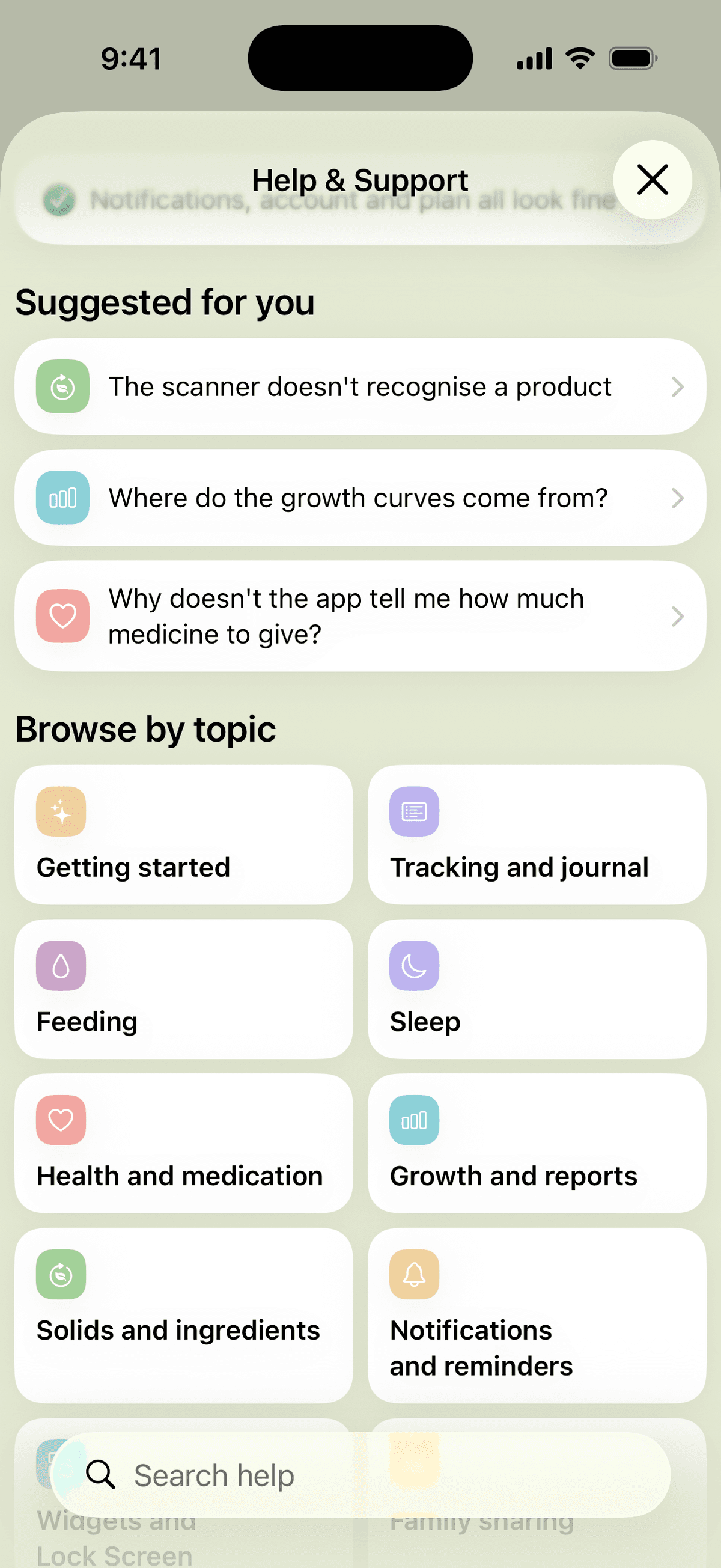
Every answer, in one place.
Jump to a topic, or read the lot. Every question below is a question a parent actually asked us.
Getting started
Do I need an account to use MyBaby?
No. You can browse ingredients, recipes and articles without one.
An account is what lets your entries be saved, reach your partner's phone and appear in widgets — without one there is nowhere to keep them. You can add an account at any time and nothing you have already entered is lost.
What do I get in the first week?
Every new account gets full Premium and Professional for seven days from the day it was created — reports, growth curves, reminders, several children, family sharing. The AI assistant is the one thing it does not include.
Settings → Account shows the exact date it ends and what changes then.
I changed phones — how do I move my data?
Sign in with the same account. Everything is on the server, so nothing has to be moved by hand.
One thing does not travel: reminders. They are scheduled on the device itself, so a new phone starts with an empty list and they need setting up again.
Why do you ask me to confirm my email address?
It is the only way to give you your account back if you forget your password, and the only way your partner can find you when they invite you to share a child.
If the message has not arrived, check the spam folder first — that is where it usually is.
Can I track two children on one account?
Yes, with Professional. Switch between them from the picture at the top of the home screen.
Each child keeps their own entries, daily goals and colour theme, so switching changes the whole app, not just the name.
Tracking and journal
How do I correct or delete an entry?
Open it from the journal or from the recent list on the home screen. Every field can be changed, including the time.
Deleting is permanent — there is no bin to recover it from.
Can I add something I forgot to log yesterday?
Yes. Add the entry as usual and change the date and time before saving — nothing is limited to today.
Daily totals, goals and reports all recalculate on their own once it is saved.
Can I attach a photo or a document to an entry?
Yes — photos, video, audio and PDFs can be attached to any entry, which is what makes a doctor's visit or a rash worth looking back at.
Attachments are part of Premium.
Can I filter the journal by type?
Yes, by group and by individual type. The calendar above the list marks which days have entries, so an empty week is visible at a glance.
Can I see which of us added an entry?
For medication, yes — the card names who gave the last dose, which is the one place where two people each giving a dose actually matters.
Other entries do not show it. If that would help you, tell us.
Feeding
Why did the nursing timer stop on its own?
After two hours of running time. A feed almost never lasts two hours — a timer left on does, which is what this catches.
Nothing is lost: the app asks you to confirm the real length before it saves. Paused time does not count towards the two hours.
I closed the app while the timer was running — did I lose the feed?
No. The timer does not count seconds while it runs — it stores the moments you started and paused, so reopening the app picks it up exactly where it was.
The session is also on the server, which is why your partner's phone shows the same running timer.
One feed on both breasts — is that one entry or two?
One. The entry carries the time on each side and the whole order of switches, so the left-and-right split in your reports stays correct.
Switch sides as often as you need — it is still one feed.
How do I log expressed milk?
Two ways, and which one is right depends on what you want to see later. In the nursing timer you can add the amount pumped on each side, which keeps it with the session.
If the baby drinks it from a bottle, log a bottle with the milk type set to breast milk — that way it counts towards the day's intake.
Where does the daily goal come from, and can I change it?
For babies under six months the app suggests it from age and weight. It is a starting point, not a prescription.
The moment you save a goal yourself, the suggestion stops touching it — your number stays. You can also turn the suggestions off for a child entirely.
Why doesn't the app warn me about something I can clearly see?
Two rules keep it quiet on purpose. No warning is ever based on a single day, and none appears on a day that looks only partly logged.
A day you forgot to record is not a day your baby ate less, and frightening a parent over that would make every real warning worth less.
Sleep
The sleep timer stopped before my baby woke up
A nap stops on its own after five hours, a night after fifteen. If you switch the type while it runs, the limit moves with it.
As with the nursing timer, you confirm the real length before it saves, so the entry ends up correct either way.
When is sleep a nap and when is it night sleep?
You decide — the app never guesses from the clock. A 7pm stretch is a night for some families and a late nap for others, and only you know which.
Reports and daily goals keep the two apart, so the choice is worth making deliberately.
How do I fix a sleep I forgot to stop?
Open the entry in the journal and change the end time. The day's total, the goal and every report recalculate on their own.
Does the timer keep running when the screen goes off?
Yes. On iPhone you can watch it on the Lock Screen, and on Android in a notification that counts up.
You can pause, switch sides and stop from there without unlocking the phone.
What is the “wake window” in the notification?
Roughly how long babies of this age usually manage to stay awake. When yours has been up about that long, the app mentions it.
It is a nudge, never a schedule — a baby who is happy and awake does not need putting down because an app said so.
Health and medication
Why doesn't the app tell me how much medicine to give?
Because it counts, it never prescribes. The amount, the interval and the daily maximum all come from you — from the prescription or the box.
That is deliberate: a tracker that suggested a dose would be giving medical advice about a specific child it has never examined.
Why didn't I get a reminder for a dose?
There are three ordinary reasons. Dose reminders are booked about two days ahead, so a course that runs for weeks fills its later slots as the earlier ones fire. Doses you already gave near their slot are not repeated. And an as-needed course is never scheduled at all — there is no time to remind you of.
If none of those fit, check the setup — notifications may be turned off for MyBaby.
How do I connect a medicine to an illness?
There is a “part of an illness” field on the temperature, dose, visit and course forms. Pick the episode, or None.
It is a field you fill in rather than something the app works out, because the difference between a vitamin and an antibiotic is not when it was given but why — and no rule can tell those apart.
An illness disappeared from the health section
That section lists open episodes only, and an episode you never closed stops counting as “happening now” after three weeks — otherwise a cold from four months ago would still be on the screen.
Nothing is deleted. Open it from the journal, whether it ended yesterday or in spring.
The app won't accept the temperature I entered
Check the scale first — Celsius and Fahrenheit follow your unit setting, and 38 in the wrong one is a very different reading.
The field also refuses values far outside any real range. That is there to catch a slipped decimal point, which is the one typo a number field cannot otherwise notice — it is not an opinion about what counts as a fever.
Growth and reports
Where do the growth curves come from?
From the World Health Organization. Weight, height and head circumference are read against the WHO attained standard; the pace of gain is read against the WHO 2009 velocity tables.
Those are two different standards from two different samples, so the app never mixes them arithmetically — which is why a percentile and a velocity band can look like they disagree and both still be right.
What does the percentile mean — should I be worried?
It is a comparison with other children of the same age and sex, not a grade. Being on the 20th is not worse than being on the 80th.
What a doctor reads is the line over time, not a single point — and reading it is their job, not the app's. If a measurement worries you, bring the graph to your next visit.
Can I export my data or send it to the paediatrician?
Not yet — there is no export today, and we would rather say so than pretend otherwise.
It is one of the things people ask us for most. Tell us what you actually need to hand over — a growth chart, a week of feeds, everything — and it goes on the list with your name against it.
My reports look empty even though I have entries
Check the date range at the top. It is chosen once and then kept across every report, so a range you set last week is still the one in force.
Set it back to the last seven days and the numbers come back.
Solids and ingredients
The scanner doesn't recognise a product
Product data comes from Open Food Facts, an open database that anyone can add to. If a product is not in it, the app cannot see it either.
You can also type the barcode by hand if the camera is struggling with a crumpled label.
Why does the scanner warn me about something we already introduced?
The warning reads the reactions you recorded for that ingredient, not whether it has been introduced. Something introduced with a mild reaction still gets flagged.
Change the reaction level on the ingredient's page and the warning follows.
What does marking an ingredient “introduced” do?
It writes a real entry, so it appears in the journal with a date and counts towards your introduction progress.
It also stops that ingredient being suggested again, and lets the scanner tell a new food from a familiar one.
Can I add my own recipe?
Not yet. The recipes are an edited collection, checked against the ages and allergens the rest of the app uses.
Send us one you would like to see and we will look at adding it — the collection grows that way.
Notifications and reminders
I'm not getting any notifications
Run the setup check at the top of the help screen — it looks at the actual permission on this device and tells you what is blocking them.
The usual causes are the permission being off, reminders needing Premium, and battery saving on Android stopping the app from waking up.
My reminders disappeared after reinstalling
A reminder is not a record on the server — it is a notification scheduled on the phone itself. Reinstalling clears that queue, so the list starts empty.
Your entries, children and everything else are untouched. Only the reminders need setting up again.
The alarm didn't ring
An alarm needs the app alive in the background to ring. If the system closed it, or the device is aggressively saving battery, the alarm is skipped.
For anything you must not miss, use an ordinary reminder — it is a notification and does not depend on the app running.
Why don't I get sleep reminders at night?
Nothing is sent between 22:00 and 07:00. “Your baby has been awake nine hours” is not worth waking you up for.
That reminder is skipped rather than delayed — the next entry you make books it again normally. Feeding reminders are not held back, because a night feed is often the point.
I get the same notification on two phones
Each device schedules its own reminders from the same shared data, so two phones signed into one family both produce them.
That is what lets either parent get the nudge when the other's phone is in another room. Delete the reminders on the device you do not want them on.
Widgets and Lock Screen
The widget shows yesterday's numbers
Check which child it is pinned to. Only the child selected in the app updates live; a widget pinned to a sibling keeps that child's last known numbers.
Each widget knows which day its numbers belong to, so once that day is over it shows an empty day rather than passing yesterday's totals off as today's.
The widget doesn't follow my phone's dark mode
That is deliberate. Widgets follow the theme you chose in MyBaby, which is saved per child — so the widget matches the app you opened it from.
If you want it to follow the phone, pick “follow the time of day” in the app's theme settings.
I don't see the timer on my Lock Screen
On iPhone it needs Live Activities to be allowed for MyBaby in the system settings, and iOS 16.1 or newer.
On Android there is no Lock Screen equivalent — the running timer appears as an ongoing notification that counts up instead.
Family sharing
My partner can't see our data
Open Settings → Family and check the sent invitations. It shows which address each one went to and whether it has been accepted.
By far the most common cause is a mistyped address. You can withdraw an invitation there and send a new one.
Does my partner have to pay too?
No. Accepting an invitation and tracking the child you shared costs nothing.
Sending an invitation is part of Professional, but the person receiving it needs no subscription at all — they are often someone who has never opened the app before.
What exactly does my partner see?
Only the children you added and shared — never your whole list, and never a child someone else shared with you.
For the children you did share, they see everything: entries, timers, goals, reports and attachments. Removing a member unlinks both sides at once; entries they made stay.
Subscription and billing
How do I cancel my subscription?
In the App Store or Google Play, not in MyBaby. Subscriptions are held by the store, so we cannot cancel one for you even if we wanted to.
Settings → Subscription takes you straight to the right page.
What's the difference between Premium and Professional?
Premium opens the reports, the growth curves, reminders and alarms, and attachments on entries.
Professional includes all of that and adds more than one child, inviting family members, and the AI assistant.
What happens when the free week ends?
Every entry you have made stays, for good. Nothing is deleted and nothing is hidden from you in the journal.
What closes are the reports, the growth curves, reminders and several children — and ads come back.
Can I get a refund?
Refunds go through Apple or Google — they took the payment, so they are the ones who can return it.
Write to us anyway if you are stuck. We cannot issue the refund, but we can tell you exactly where to ask and what to say.
Privacy and data
What happens if I delete my account?
Your account and your children's data are deleted permanently. There is no recovery and no grace period.
Deleting the account does not cancel a subscription — the store holds that. Cancel it there first, or you will keep being charged for an account that no longer exists.
Who else can see my data?
The family members you invited, and nobody else you have not invited.
When you write to support, a short list of technical details about your device goes with the message — and we show you that list in full before you send it. It never contains your children's names or any of your entries.
Does the app work without internet?
Yes. Entries are written locally and sent on by themselves once the connection is back — you do not have to do anything.
Timers work offline too, because they store the moments rather than counting seconds.
Where do I ask about my baby, not about the app?
This help is about the app. For questions about your baby, the AI assistant reads your own entries and answers about your child specifically, and the “Good to know” articles cover each month of the first year.
Neither replaces your paediatrician, and anything that worries you belongs with them first.
Every answer asks whether it worked
A “no” is not a vote we count and forget. It opens a support request there and then, with the answer that failed already attached — along with your device, app version and account, so nobody has to ask you for them. You see exactly what is attached before you send it, and you can switch it off.
Replies arrive in the app and by email, and the thread stays there. You can also start one from Help → Contact support at any time.
No app to hand? info@maccadesign.hr reaches the same people — it is just slower, because we have to ask you what the in-app form already knows.
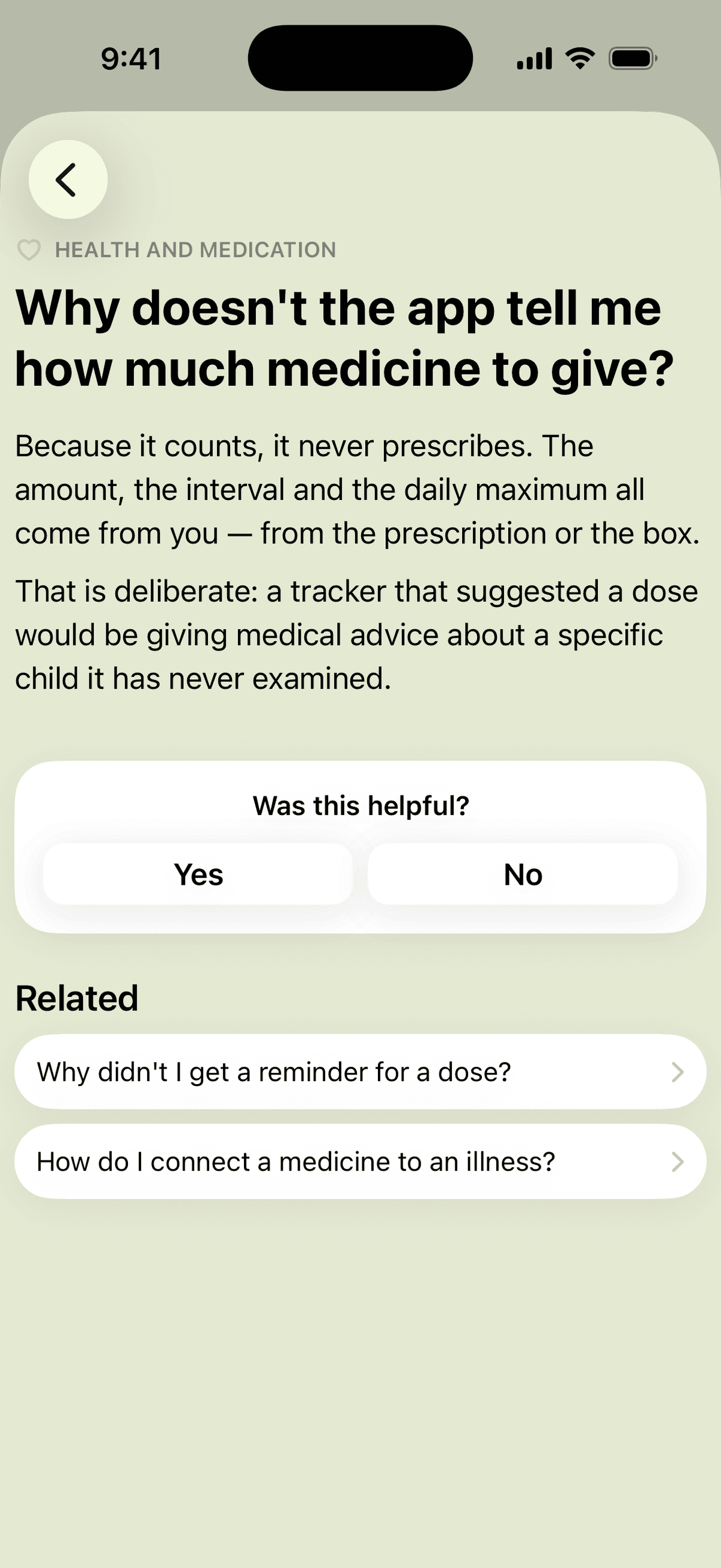
The whole help centre, offline.
In English, Croatian, French, Portuguese, Spanish, German, Japanese and Chinese — inside the app, with no connection needed.